As I plugged in my Garmin VivoSmart this morning for a couple of hours to give it its week-long plus battery cycle it occurred to me: if I had to take this off every night to charge it I wouldn’t be able to track my sleep the way I do now. Something to think about…
Mobile Archives
-
-
I’m liking the larger iPhone 6 screen more and more as my apps update to support the larger resolution.
-
I’ve been somewhat excited about smartwatches this year. I picked up a Pebble which I liked; but the function provided fails to outweigh its form. I followed the Android Wear announcements and nothing seemed compelling. Too big, too little battery life, too many features I don’t care about conspiring to result in a price tag…
-
I’m looking forward to seeing my new phone and the wearable at today’s Apple event. The invite includes the tagline: Wish we could say more I’ve seen speculation that this refers to Siri, which could definitely make sense in the context of a wearable and what we’ve seen from Android. However, I’m going to guess…
-

I’m all in on the iPad, but as noted previously I largely agree with Lukas Mathis that it’s currently a tool best used for consumption. That said, I also believe that the future of computing looks more like an iPad and less like a laptop for most normal users. Looking at how Apple has taken…
-

I’ve never had a case or bumper on any of the 6 iPhones I’ve owned. About a month ago I dropped my iPhone while I was stupidly holding it to take a picture in the same hand that also held the dog leash. It fell about 5 feet and landed corner first on the sidewalk;…
-

I’ve been seeing a lot of folks using Waterlogue recently. This is my first test image. Definitely fun to play around with, though it feels a bit like a fad/novelty. In other news, I’m successfully posting from my phone again.
-
I’ve been using Castro for the last month and I’m smitten. Finally, a podcast client that thinks about podcasts the way I do. Here is the simple list of things Castro does right: Omni-present audio controls. If I’m in the app, and a podcast is playing, I don’t need to change screens to get to…
-
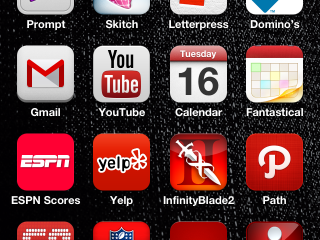
Behold, all of my apps, organized (loosely) by color. I’ve been wanting to do this for a while, but never wanted to invest the time or have to put everything back. With iOS 7 around the corner (bringing new icon styles), now it seemed as good a time as any to have a little fun.…
-
I haven’t yet installed iOS7 on a test device, so these are henceforth disclaimed as knee-jerk reactions based on hearsay and screenshots. 8 months is a short time and lots has been done, more than I thought was possible. It’s a little too candy colored and simplistic for my taste, especially the icons. I expect…
-
About a week ago my iPhone 5 started acting strangely with my home network. It appears to have stopped joining the WiFi network (my network connectivity has dropped to 3G/LTE with the expected latency and my battery life has suffered as you’d expect). Oddly, while it doesn’t show the WiFi icon in the top bar…
-
I like iOS but even with the 10″ iPad it’s a 90+% consumption device for me. I don’t write code. I don’t work on my blog post drafts.1 I end up reading things and not replying – creating a backlog of stuff that needs to be done/written/filed/etc. When I’m out of stuff to read I…
-

Quite simply, Paper is the best app I’ve seen in a long time.1 It just turned my iPad from a device I leave at home for email, browsing and playing games to a business tool I want to have with me all the time. Over the last six months I’ve been using paper sketches more…
-
For the last few months just about every time I do anything on my iPhone that uses Location Services, I’ve had that icon come on and stay on. I couldn’t get it to go away unless I turned off Location Services entirely; and even then it would come right back as soon as I re-enabled…
-
While the iPad *can* live as a stand-alone machine with iCloud, I still plug mine in every so often to load up photos, etc. As a contrast, the Kindle Fire didn’t even come with a connection cable (just a charger). I guess Amazon is backing up/hosting media in the cloud for me, no idea about…