I’m thrilled with my new hosting set-up for this site, however WebFaction doesn’t offer daily backups. I knew could spend the time to write a little script to export my database and pass it along to another storage location, but then I thought of BackupBuddy from iThemes. 5 minutes later I had BackupBuddy installed, with…
Software Archives
-
-
I’ve been having trouble with Dropbox on my laptop. No matter what I do (reboot, pause and resume, etc.), it keeps syncing away saying “20 files remaining”. The process continually eats CPU which destroys my battery life and constantly makes my machine hot. I finally dropped a note to Dropbox support to see if they…
-
Yesterday I watched a colleague’s Sublime Text 2 crash repeatedly as he tried to navigate the search results in a large project. BBEdit‘s search (and edit in the results window) feature is a part of my normal development process. I think it crashed on me once about 8 years ago.
-
Dear Email Client Developers, If you allow your users to send an email with more than 10 email addresses visible in the TO or CC lines without throwing up a warning that says: Hey, this is a bad idea. People will likely be upset that you just sent their email address to all the people…
-
If this happens to you, it’s possible that Chrome (or Chromium) has updated itself in the background. Quit and re-launch the browser and 1Password 4 should start filling in usernames and passwords again like you’d expect. I originally tracked this down in the AgileBits forums, but can’t find it anymore. Leaving the tip here in…
-

I investigate pretty much every new publishing system that comes out. I’m eager to see what features they think are important, and see what might spark new ideas for my own site. I got my invite to try Ghost a short time ago. I put up a test post, and was a shocked by what…
-
I’ve been using Quip for the last few days and really liking it. The ability to move between devices1 without friction has allowed me to work on some medium-form pieces at times/places I wouldn’t have without it. I’ve also used it to get feedback on various content drafts, which has worked nicely. So far it’s…
-
A few folks have asked how I took the full-page screenshots I put into this Flickr set. Very simple: Paparazzi on Mac (I donated) Barry on iOS Great examples of “do one thing, do it well” apps. Recommended.
-
Before Google Reader shut down I had been using Reeder on the Mac, iPhone and iPad. Since the shut down I’ve tried a few options, and so far the combination that feels best to be is Feedly on the desktop (via web) and Newsify on iPhone and iPad (it’s a universal app). I haven’t used…
-

I’m very pleased to announce the release of Capsule v1.1 (and Capsule Server v1.1). In this release we added some pretty handy features along with addressing the usual array of 1.0-related issues. The download and an online demo are available on the Crowd Favorite website. Some of the highlights in the new version include: A…
-
How to best provide support for the software you create is an interesting point of deliberation. I’ve gone through various stages and iterations, all different as circumstances have evolved, but all driven by the same question: How can I create the best experience for the user in a way that is sustainable? On a podcast…
-
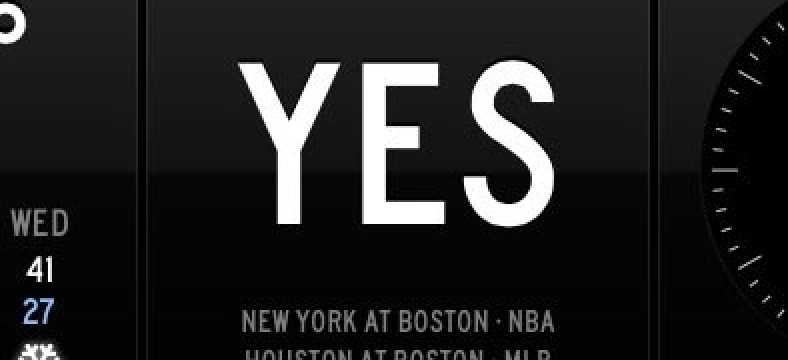
GameTonight now creates a module for Panic’s excellent Status Board iPad app. The URL is simple, add ‘/statusboard’ to any metro URL or, while on your iPad, click the link at the bottom of each GameTonight page to install the current metro in Status Board. Example: http://gametonight.in/denver/statusboard Here’s what you get: It currently looks best…
-

UPDATE: There’s a nice customer support forum for FoldingText that I found after writing this post – lots of great info there. I’ve updated the content here accordingly. I’ve been trying out FoldingText for the last couple of weeks and have found it to be a good general purpose writing and note-taking tool for me.…
-
My “following” list on Twitter is made up primarily of people who I know in real life (who aren’t too verbose on Twitter), with a few choice “entertainment” gems. I like it this way, it keeps the noise to a level where I can generally keep up with folks I care about. At WordCamp San…
-

It’s baseball season again, and in downtown Denver that means traffic and bad cell phone connections. We can’t do much about the latter, but be sure to use GameTonight for warning about potential traffic concerns. GameTonight is a single-serving site that answers “is there a game tonight?” and tracks the major sports teams in 1516…